If your computer dies, your files don't.
Offsite automatically keeps a copy of your photos, documents and other important files safe online. If your computer breaks, is stolen or gets a virus, you get everything back. And Offsite regularly checks that this works, so you never find out the hard way.
Free to use while we're in beta. No purchase needed to try it.
A little peace of mind.
A five-second brand animation: little blue lights finding a safe place. Silent. Play when you like.
What Offsite does
It backs up by itself.
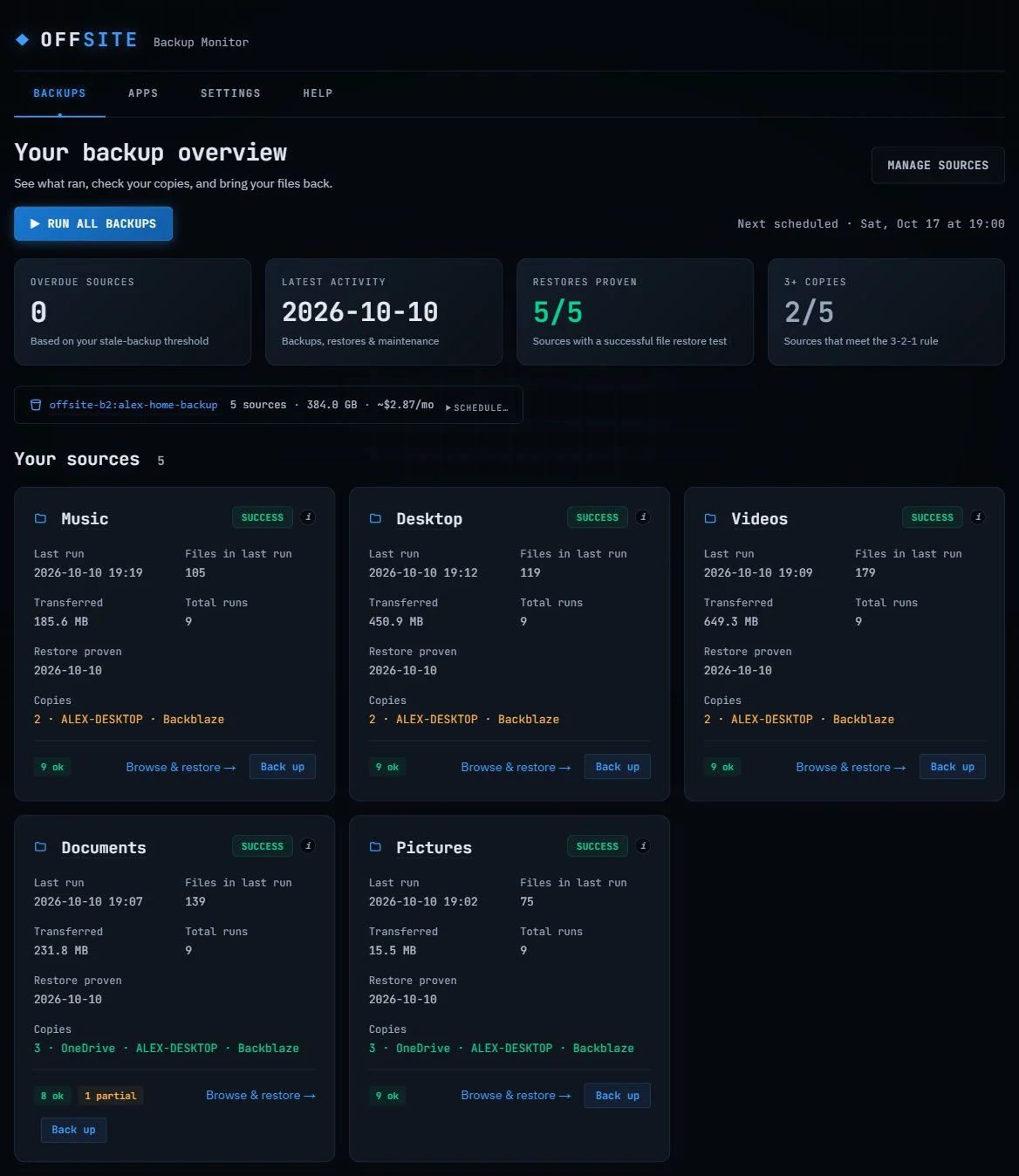
Once a week, or on the schedule you pick, Offsite quietly copies anything new or changed. There's nothing to remember. If a backup ever fails, it tells you.
It proves your files come back.
A backup you've never tested is a guess. Offsite regularly brings a file back, checks it's exactly right, and shows you the date it last worked.
Your files stay yours.
Your backup is kept in your own storage account, as normal files and folders. You can open them anytime, even without Offsite. We never see them.
A new computer, set up faster.
Offsite remembers which apps you had. On your next computer it brings your files back and reinstalls your apps for you.
New: the photos on your iPhone. Offsite can back up your whole iCloud Photos library too (in beta), and tell you when every photo is safely in your backup, so you know it's safe to free up space on your iPhone.
How it works
Install Offsite
Download it for your Windows PC or Mac and choose what to protect. Your Documents, Pictures and Desktop are suggested for you.
Make a Backblaze account
Backblaze is a well-known online backup company, and your account there is where your copy is kept. Offsite walks you through it, click by click, in about five minutes.
That's it
Offsite runs quietly in the background. You only hear from it when something needs you, and it tells you what to do in plain words.
Pricing
What it costs, plainly
- The app: $10, one time, for up to 3 of your own computers. Updates are free.
- The online storage is paid to Backblaze, not to us: about $7 a month for 1,000 GB, and the first 10 GB are free, so 100 GB of photos costs less than $1 a month. Offsite shows you the real number.
- Free while in beta. You can download and use Offsite now without paying. If you buy a license now, you'll get a key by email when keys arrive, and it tells us to keep building.
Questions
What is Backblaze, and why do I need an account?
Backblaze is an American company that has stored people's backups for more than 15 years. A backup has to live somewhere away from your computer, and Offsite keeps yours in your own Backblaze account rather than ours. That way nobody, not even us, sits between you and your files. Offsite helps you sign up.
Do I need to be good with computers?
No. Setup is step by step, and after that Offsite runs by itself. If it ever needs you, it says what happened and what to do, without the jargon.
Can it back up the photos on my iPhone?
Yes, if your iPhone uses iCloud Photos (most do). Offsite backs up your whole iCloud Photos library to your Backblaze account: either it signs in to iCloud for you, or it backs up the photos Apple's own iCloud app puts on your computer. Before you delete photos from your phone to free up space, click Check now and Offsite tells you whether every one of them is in your backup. This part is new, so it's marked beta.
What happens if my computer breaks or is stolen?
Install Offsite on your new computer, connect the same Backblaze account, and bring your files back. Offsite also remembers which apps you had and can reinstall them for you.
Can anyone else see my files?
No. Your files go straight from your computer to your own Backblaze account, over a secure connection. They never pass through us, and Offsite doesn't track what you do.
What if I stop using Offsite?
Your files stay right where they are, as normal folders in your Backblaze account. You can download them from Backblaze's website anytime.
Windows showed a warning when I opened the installer. Is that OK?
New apps can get a blue "Windows protected your PC" message until enough people have downloaded them. Click More info and check that it says Publisher: Elias Gomez, then click Run anyway. If it says "Unknown publisher" instead, don't run it: download it again from this page.
Is there a Mac version?
Yes, for newer and older Macs. To see which you have, click the Apple menu → About This Mac. If it says "Apple M1" (or M2, M3, M4), download the Apple chip version; if it says "Intel", the Intel version.
Open the download, drag Offsite into your Applications folder, and open it. The first time, your Mac asks whether to open an app from the internet: click Open. Apple has checked Offsite, so it opens normally.
More questions, or curious how it works under the hood? Technical details and the full FAQ →